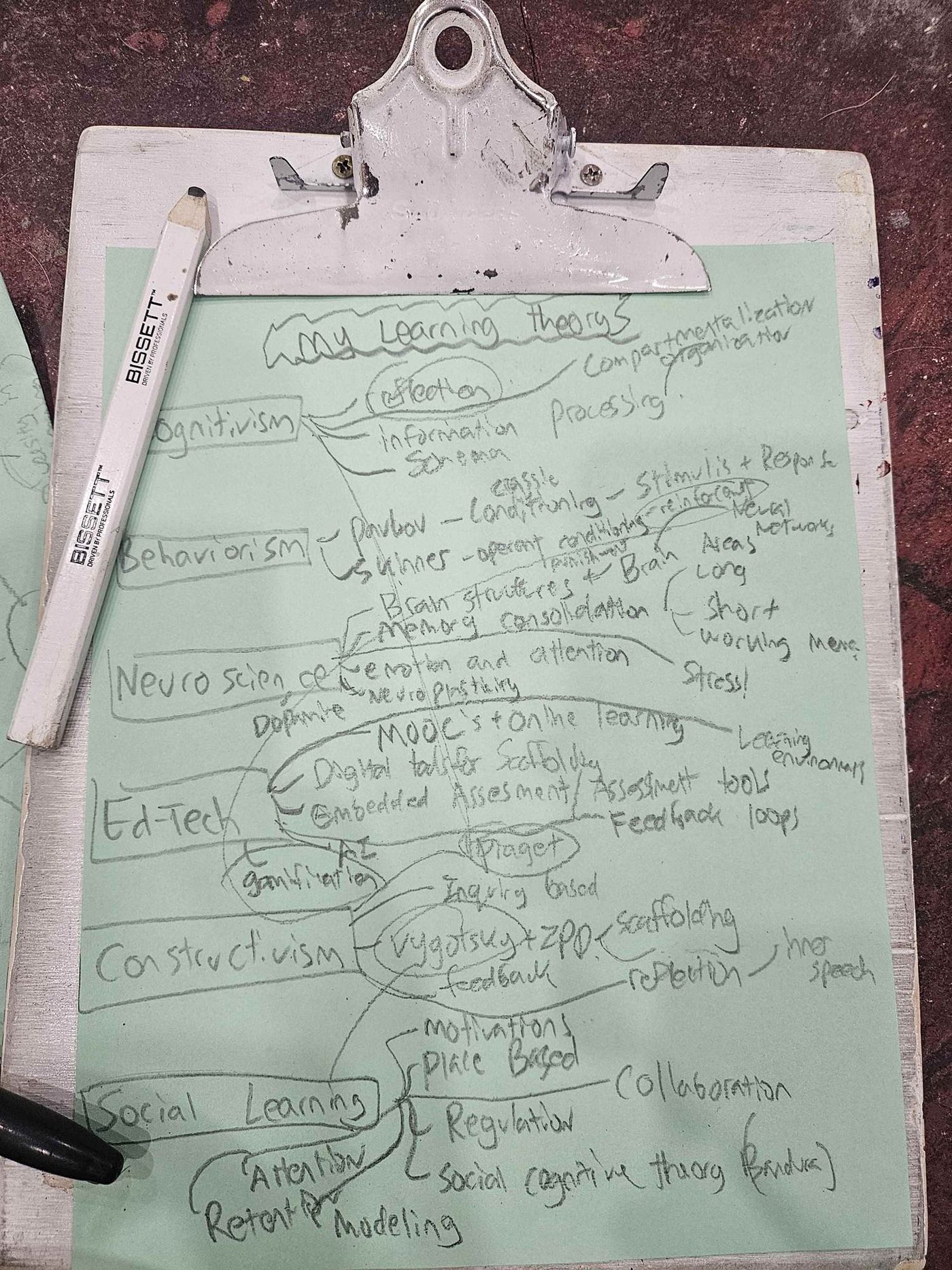
ETEC 512 - Concept Map
My Personal Learning Theory
• Press and hold the purple bubble to auto-sort theories • Scroll to zoom • Click and drag to move
Tool Selection and Rationale
For my concept map, I chose to use the D3.js JavaScript library (version 7, free) to create an interactive, force-directed graph. My decision to do this was driven by a desire to try something new and go beyond a static mind-map by creating a dynamic representation reflective of the complex and constantly shifting relationship between theories that have gone on to shape my personal perspective towards learning. I feel that D3.js's ability to create a layout visually depicting how different educational concepts pull on, connect to, and repel each other through its use of physics has made for an interesting use of this technology as it relates to this assignment. I gravitated towards this approach because it challenged my existing knowledge of CSS, HTML, JavaScript, and AI tools by positioning this task within my own Zone of Proximal Development such that the challenge made it motivating. Overall, I found this process rewarding and felt it was a good move in my own learning of technological languages because it challenged me to try something different and build off of previous knowledge and skills I had coming into this.
How I Used the Tool and AI
This project ultimately came down to having an idea, researching the logistics of how to implement it, and then using a combination of Generative AI tools (including ChatGPT, Claude.ai, Lovable.Dev, and Gemini - free versions) to help me construct and implement a workable D3.js template to populate and connect the various nodes with information in an aesthetic way. For example, I used this prompt to establish the foundational code structure: "Using D3.js and the learning theories provided, generate an inline HTML, CSS and Javascript template I can use for a force-directed graph. Ensure these main-nodes are connected to the central node of 'My Personal Learning Theory.'" This allowed me to bypass basic D3.js syntax hurdles and focus on the conceptual relationships. While the AI tools helped me to navigate many of the technological hurdles, mass edits, and syntax complexities of the code, using these tech-stacks together as tools allowed for me to realize my vision of this in a way that demonstrates the interconnectedness of these learning theories.
Challenges and Problem-Solving
For this assignment, the Generative AI tools were primarily used for mass editing and to manage the consistency of the visualization of data. Some of the hardships for me in using this technology came through having to manually deep-dive into the code in order to provide accommodations to fit inside of my blog's layout, as well as to initially establish how I wanted the connections and relationships between some of the concepts to visually take place. With my choice of using D3.js, I ran into problems where I wasn't fully able to create what I had envisioned due to limitations in the JavaScript arrays and ordering of data. (For example, I would have loved to have a .jpg or SVG image of a brain in lieu of the central purple node but I wasn't able to find a way to make this work). When the visualization became too cluttered, I prompted: "My current mind-map is too visually cluttered causing it to be unreadable and overlap. Without removing any nodes or connections, increase the overall space between the nodes to improve the graph's overall legibility." Ultimately, while I did manage to reference all of the concepts and connections I wanted to, it came at the expense of cluttering the organization and the underlying structure of my visualization.
Keeping My Mind Front and Center
In keeping my mind front and center throughout this process, I feel I maintained agency over my use of AI through pre-determining the main and sub-branches of each of the nodes, by utilizing different AI tools to manifest my vision of this (rather than going with the first thing I'm given), as well as making deliberate choices about which connections to emphasize or draw connection points to. If I had to do this again, I would be more sparse with my sub-branches and where they connect, or, include different layers of complexity through zooming in and out allowing for the user to choose whether to focus on the bigger picture or the finer details such that it does not instantly overwhelm them upon first glance. A greater portrayal of my thinking and synthesis of this material could have come from selectively choosing a few concepts rather than trying to fit everything together as if it were one giant puzzle where I had to use all of the puzzle pieces.
Reflection and Learning
While it's not perfect by any means, I am happy with my choice to try out something new and create something indicative of the complex and ever-shifting perspective I hold towards how learning takes place. Creating this mind-map reinforces the idea that the learning process is messy, dynamic, and relational, all of which is illustrated through my force-directed graph.